
Did you submit one of the online forms that are available via the Slate for Students website?
Wondering how to track its progress, i.e. to see if/when it was received, approved, processed, etc.?
Here's how to check.
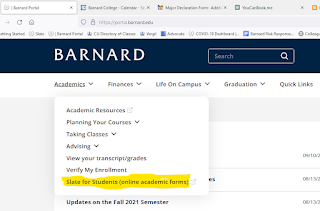
1. Log into Slate directly or find it on the Barnard Portal under the Academics tab
2. In the Home tab of Slate, scroll down to the bottom of the page, to Forms Submitted. There you'll see any forms you have submitted and can track them along their route from submitted to approved and processed. The legend below explains any symbols

3. That's it!


No comments:
Post a Comment